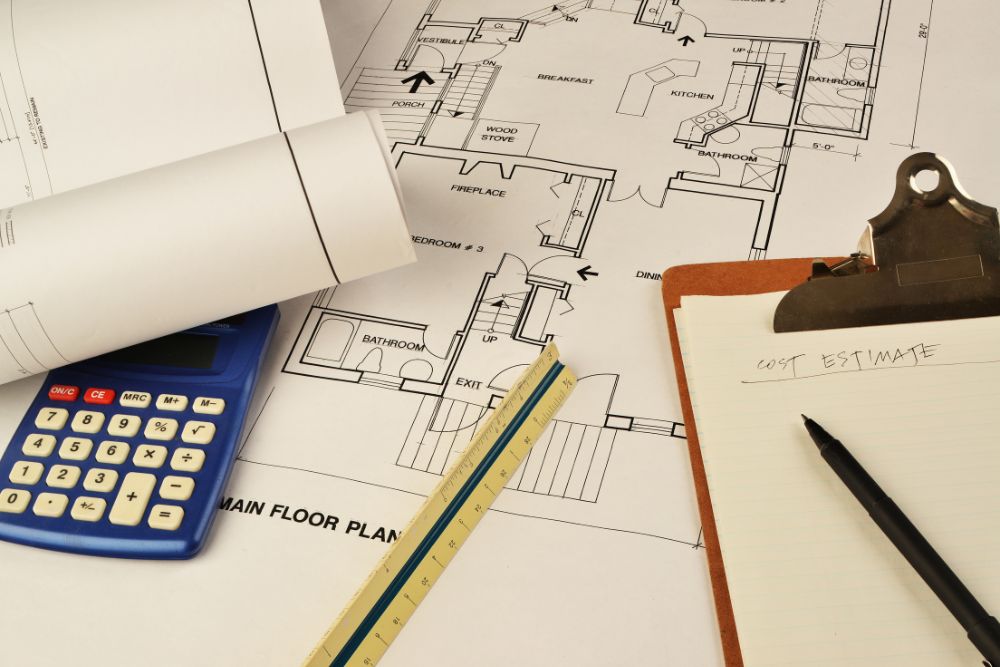
Why document control is essential in construction cannot be ignored. Every file, plan, or report must be accurate. Otherwise, mistakes, delays, and confusion can occur. Without a reliable system, teams may use previous outdated plans or lose important files. Managers spend time searching, and workers repeat tasks. This wastes time, increases costs, and adds risk to the project.
This blog explains why document control is essential in the construction industry. Outline the methods for managing documents. It also provides practical tips to keep your team organized and minimize errors.
What Is Document Control?
Document control is the systematic management of documents. It includes creating, storing, organizing, tracking, and sharing files. The primary goal is to ensure the correct version is available at the right time.
Document control enables employees to collaborate efficiently and ensures compliance with regulations. When multiple teams work on the same documents, confusion can happen. That is why document control is essential in construction becomes even more critical. A central storage system and clear rules help avoid mistakes.
Why Document Control Is Essential In Construction
In construction, even a single file can impact the entire project. For example, contracts, updated plans, or inspection reports must be correct and easy to access. Therefore, document control helps track and manage all project-related files.
When done right, teams stay informed, decisions are faster, and mistakes are fewer. However, without it, files get lost, old versions circulate, and teams repeat tasks, wasting time.
Key Steps to Implement Document Control:
- Create Document Templates: Use standard formats for clarity and consistency.
- Develop a Clear Labeling System: Name files clearly to make them easy to find.
- Invest in a Document Storage System: Store all files in one central location for easy access and accurate versions.
- Set Revision Control: Track changes carefully so everyone uses the latest version.
- Set Review Workflows: Define steps for reviewing and approving documents when multiple teams are involved.
- Limit Document Access: Limit access to authorized personnel to protect sensitive information.
- Develop a Disposal Process: Define retention periods and establish safe disposal methods to ensure compliance.
With proper tools, rules, and training, teams understand why document control is essential in construction and work efficiently.
Document Management vs. Document Control
Document management organizes all documents. Document control focuses on managing critical documents for compliance and quality assurance.
Here are the key differences between document management and document control:
Feature | Document Management | Document Control |
Purpose | Organize, store, and access documents | Manage critical documents impacting compliance and quality |
Scope | Broad, all documents | Narrow, only critical or regulated documents |
Focus | Accessibility, security, and collaboration | Version control, approvals, and regulatory compliance |
Tools | Document Management Systems (DMS) | Document control systems or modules within DMS |
Activities | Indexing, searching, storing, sharing | Creation, review, approval, distribution, disposal |
Importance | Improves efficiency and organization | Ensures compliance and process integrity |
Industries That Benefit From Document Control
A document control system helps industries with complex processes and many documents. It improves efficiency, accuracy, and compliance. Industries include:
- Construction & Engineering
- Healthcare & Medical
- Manufacturing
- Pharmaceutical & Aerospace
- Banking & Financial
- IT & Energy
- Legal & Government
How Document Control Improves Risk Management in Construction
Poor document management can raise project risks. However, proper document control helps prevent errors and avoid delays. Moreover, the table below shows common risks and how document control solves them effectively.
Risk Area | Problem with Poor Revision Tracking | How Document Control Helps |
Human Error | Using outdated or incorrect documents can cause mistakes and delays. | Automated revision tracking ensures everyone uses the latest version. |
Information Loss | Documents get lost or scattered, causing delays and errors. | Centralised storage keeps all files in one secure place. |
Reputation Damage | Wrong or missing documents reduce client trust. | Consistent naming and organised files maintain accuracy and transparency. |
Disputes | Unclear records make it difficult to resolve disagreements. | Audit trails track every change, including who made it, when it was made, and help resolve disputes. |

Basic Methods of Document Control in Construction
Document control has evolved, but not all teams keep up. Some still use old systems designed for smaller projects. There are three basic methods of document control:
1. Manual Filing Systems (Traditional Method)
This is the simplest method: binders for contracts, folders for drawings, or printouts on-site. It may work for small jobs, but problems arise as teams grow or new subcontractors join. Paper systems lack history, visibility, and coordination. Mistakes have no record, increasing risk.
2. Spreadsheets and Email Chains
Many teams use cloud folders, Excel trackers, and email threads as a middle ground. At first, it seems organized. Over time, errors can occur, including incorrect file names, overwritten files, or missing uploads. There’s no audit trail, and no single source for everyone to check, making management harder as projects grow.
3. Construction Management Software
A proper system stores all files centrally, linked to tasks, users, and workflows. Submittals, RFIs, and change orders are easily tracked and accessible.
For example, Buildern Construction Management Software lets you:
- Restrict file access to authorized users.
- Track who approved a document and when it was approved.
- Push drawing updates to all field devices instantly.
Dedicated software goes beyond digital storage. It provides structured control that keeps projects on schedule, even in the face of unexpected changes.
How to Use Document Control Software
Using document control software correctly helps keep your files organized, secure, and up-to-date.
- Upload and Organize: Add files to the system and categorize them with folders or tags.
- Version Control: Always use the latest version and track changes to ensure accuracy and consistency.
- Edit and Share: Make edits if allowed and share with the right team members.
- Review and Approve: Follow the workflow and complete approval steps.
- Maintain Security: Protect sensitive files and monitor who accesses them.
Tips for Mastering Construction Document Control
Follow these tips to help your construction team manage documents more efficiently. Additionally, they can reduce costly mistakes and save time.
1. Keep Documents Organized:
Use a clear system for naming and storing all files. This makes it easier to find documents quickly.
2. Track Document Versions
Always make sure everyone uses the latest version. This prevents mistakes from outdated files.
3. Use Document Software
Use special software to manage and track documents efficiently. It simplifies storage, sharing, and version control.
4. Assign Document Owners
Choose specific people to manage each document. This improves accountability and reduces confusion.
5. Review Documents Regularly
Check documents regularly to ensure they are accurate and up to date. Regular reviews prevent errors and delays.
6. Protect Important Information
Keep sensitive data safe from unauthorized access. Use passwords and restricted access for confidential files.
7. Control Who Sees Documents
Decide who can view or edit each document. This ensures the right people access the right files.
8. Keep a Record of Changes
Track who modifies or updates documents. This maintains transparency and accountability.
9. Help Everyone Understand
Train your team on how to use the document system. This ensures consistency and proper usage.
10. Back Up Documents
Make extra copies of important files. Backups protect against data loss or accidental deletion.
FAQs
When Should I Implement A Document Control System?
Implement a document control system at the start of every project. Early adoption ensures the organization from day one. It helps teams track plans, contracts, and approvals efficiently. As projects grow, this system prevents confusion, delays, and costly mistakes.
How Do You Manage Construction Documents Effectively?
To manage construction documents effectively, use a central storage system. Track versions carefully and control access to each file. Regularly review documents for accuracy. Train your team on the process. This ensures smooth collaboration and fewer errors.
How Proper Document Control Reduces Risk?
Proper document control reduces risk by keeping files accurate and accessible. Everyone works from the latest version. Audit trails help track changes. This prevents errors, disputes, delays, and legal problems. Teams stay informed and projects run more safely.
What’s The Best Construction Document Control Software?
The best construction document control software is one that centralizes all files in a single location. Tracks versions automatically, controls who can access documents, and logs approvals. It should also allow easy sharing, real-time updates, and support smooth collaboration for your team.
What Are Some Common Challenges With Construction Document Management?
Common challenges include lost or outdated documents, unclear version control, and poor communication. Manual systems or emails often fail. Teams may duplicate work or miss updates. Implementing software and transparent processes effectively addresses most of these issues.
Conclusion
Proper document control ensures construction projects stay organized, accurate, and on schedule. Additionally, it reduces errors, prevents delays, improves teamwork, and minimizes risks. Implementing a document control system enables teams to work from the latest files and maintain compliance. Overall, this highlights why document control is essential in construction for every project.
Partner with Prime Estimation today and take full control of your construction documents. Our experts provide reliable construction project management & CPM estimating services to streamline your workflows. Don’t risk delays or errors.
Contact us Today to transform your document management and boost project success!